01
Download the app
Create your family account on iPhone or Android first.
Kora setup guide
Start with the phone app, bring in the people and calendars that shape your week, then pair a display everyone at home can use.


Already have a display? Set up the app first, then continue to display pairing.
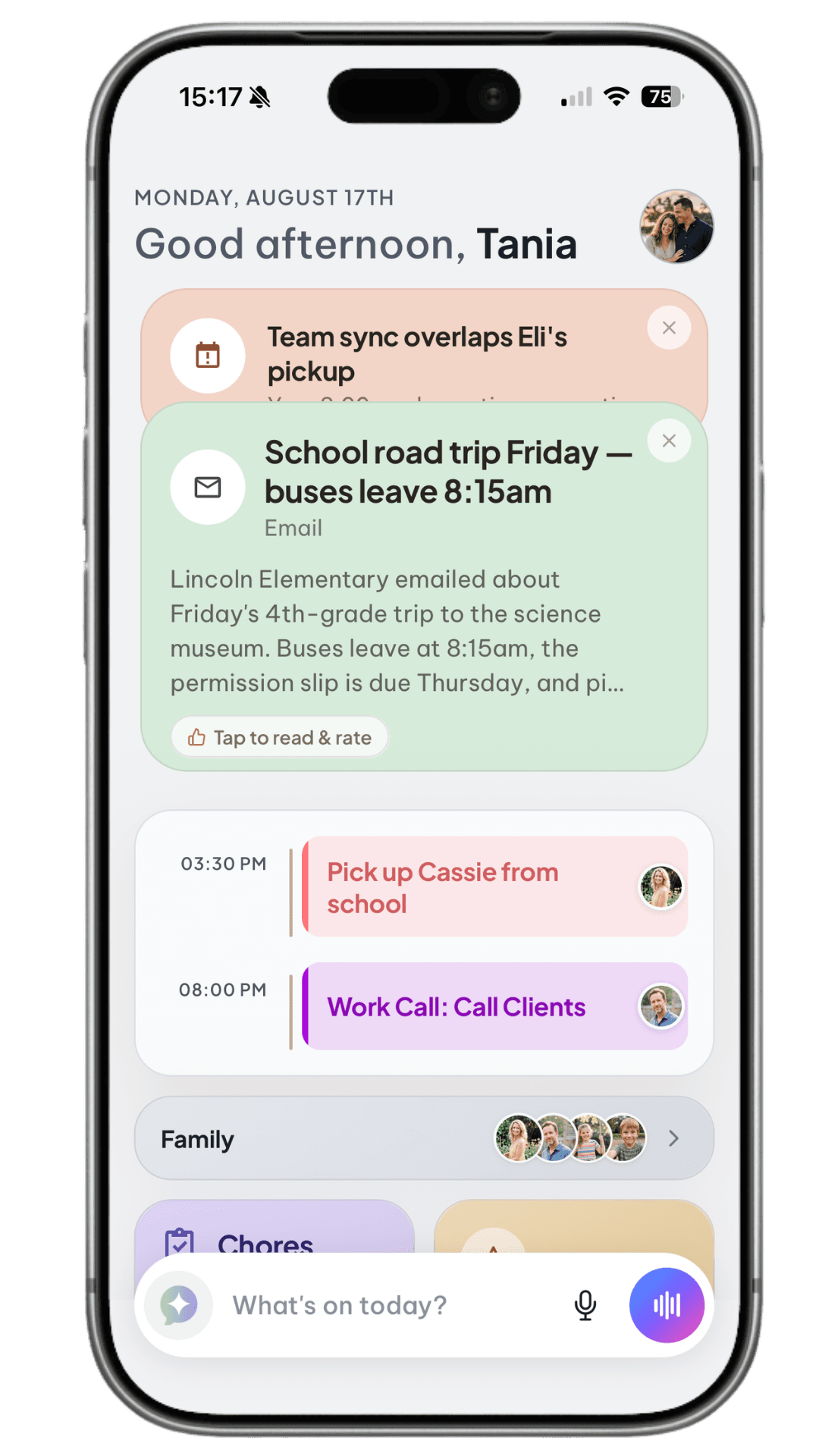
Create your family account on iPhone or Android first.
Add profiles and connect each person’s calendars.
Connect Wi-Fi, scan the QR code, and bring Kora into the room.
Setting up a new display? Let it update first.
After the first plug-in, give Kora a few minutes to download updates and restart. Wait until the QR sign-in screen is stable before pairing.
Start on your phone
The phone app is where you create your account, manage your family, connect calendars, and authorize a Kora display.
Current family sign-in
Kora currently uses one shared family account. Family members using the phone app should sign in with the same email and password. Individual account invitations are planned for a future update.
Make the view useful
Create a profile for each person so events, chores, rewards, and reminders appear with the right name and color.
Changes made in the app sync to the display, keeping the shared home view current without setting everything up twice.
Bring the week together
Connect each calendar to the matching family profile. Kora combines them into one readable view while preserving who each event belongs to.
Connect with Google Sign-In
Connect with an iCal feed
Good to know
Calendar feeds are currently one-way and refresh about every 15 minutes. Google uses secure sign-in; Apple and other supported services use an ICS feed.
Bring Kora into the room
Once paired, the display mirrors your family’s profiles, calendars, chores, lists, and updates. It stays available in the room so kids can check and use the plan without borrowing your phone.
Make it part of the week
Use the app or display to add events, chores, rewards, lists, and meals. You can tap through the interface or speak naturally to Kora.
Kora Pulse also brings forward useful reminders—like school updates, schedule conflicts, and unfinished tasks—before they disappear into the noise of the week.
Tell us where you got stuck. The Kora team typically responds within 24 hours.